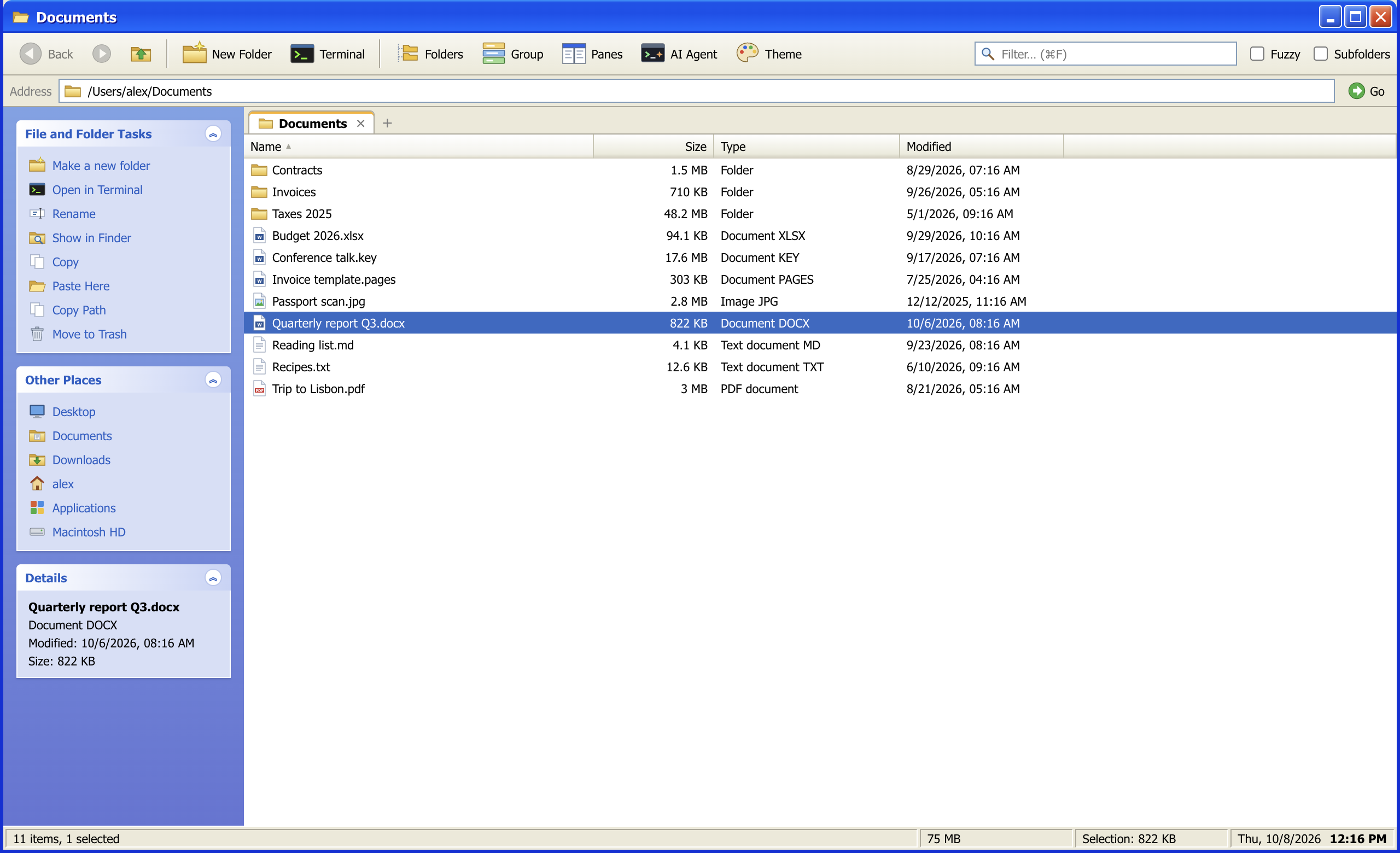
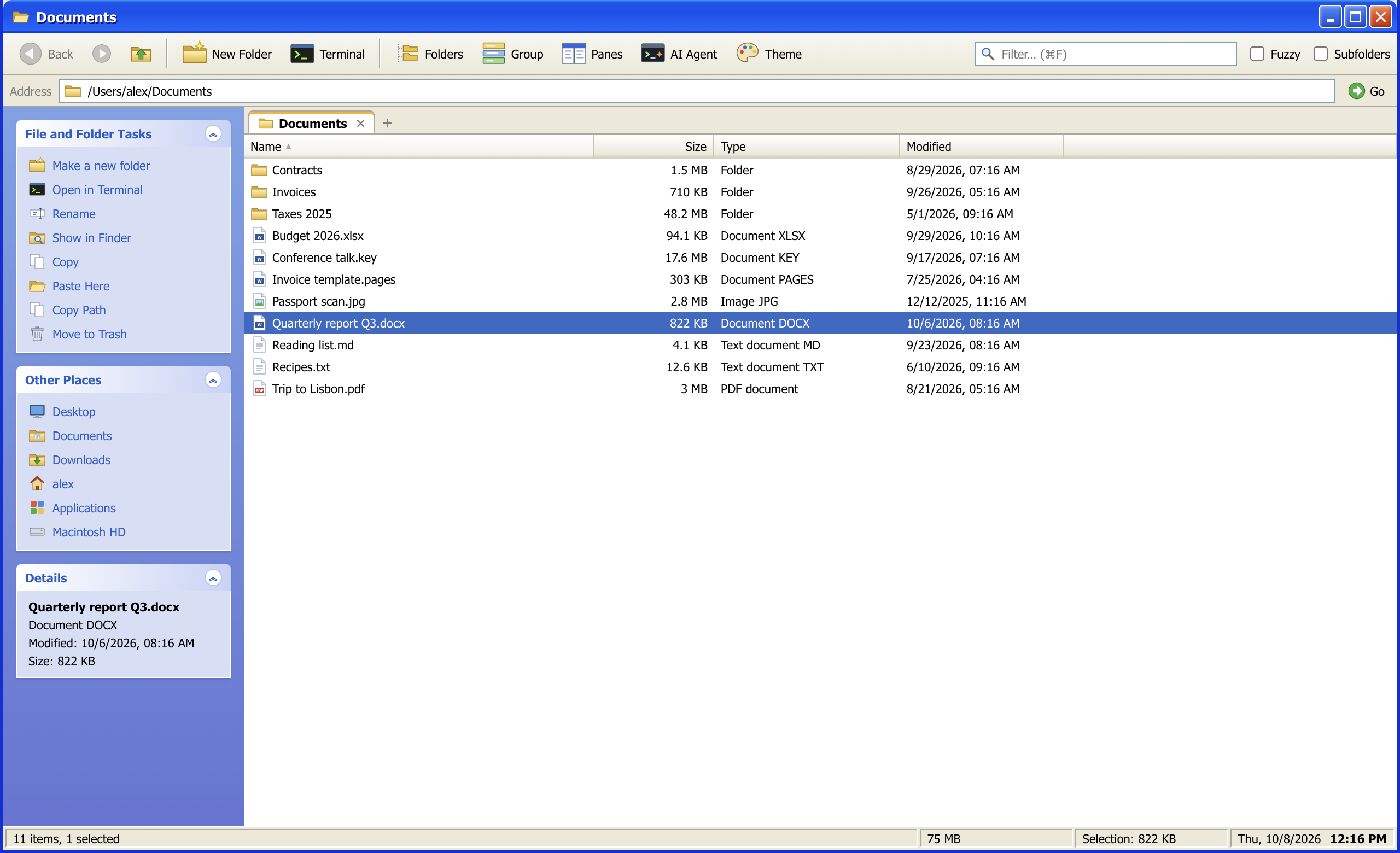
Explorer, the way you remember it. Built for the way you work now.
aFinder brings back the Windows XP Luna look and pairs it with what a file manager needs today: tabs, up to four panes,
instant search through every subfolder, virtual folders, and Claude Code running right next to your files.
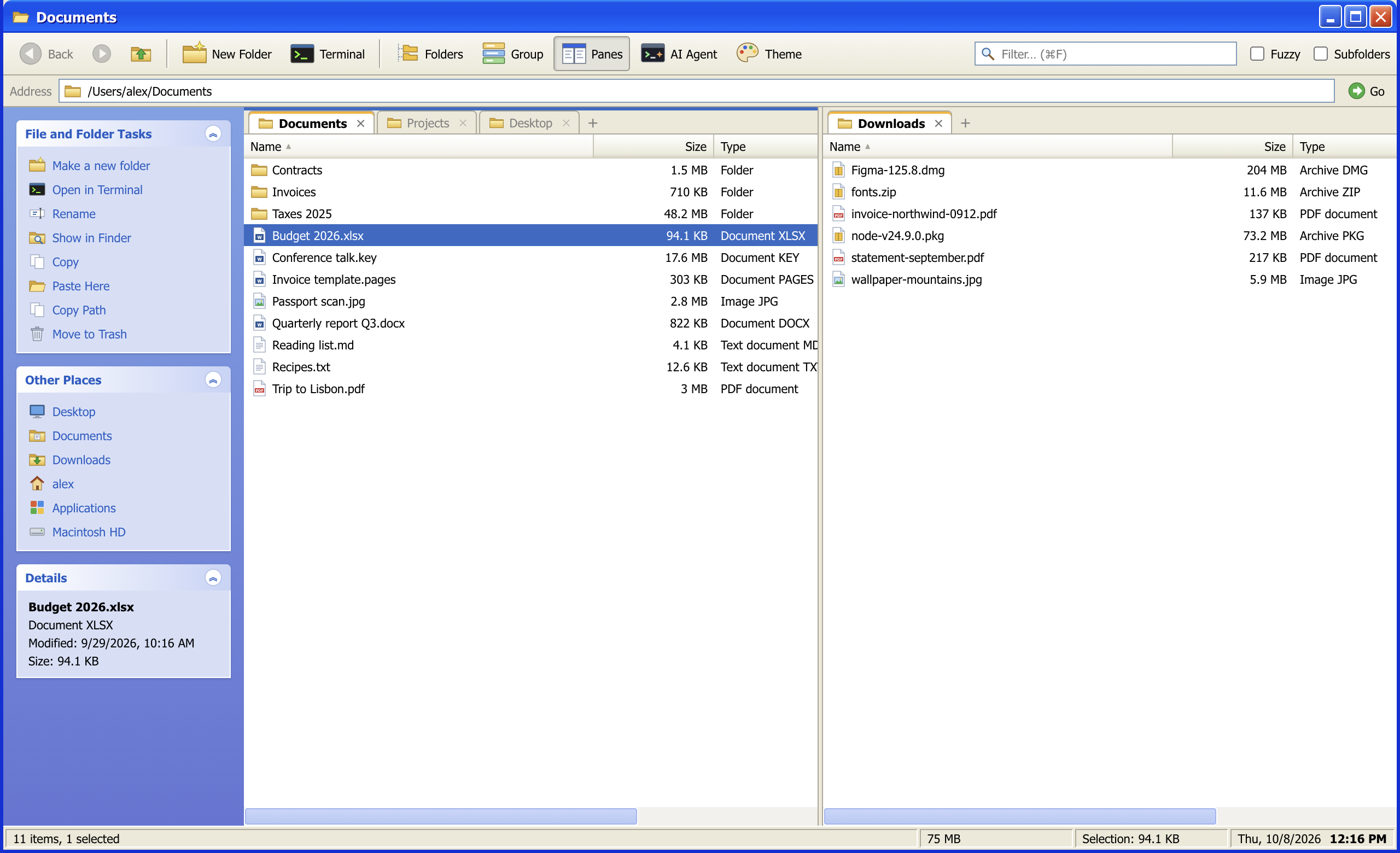
Work in two folders at once without juggling windows.
Every tab keeps its own folder, history, filter, sort order and grouping. Split the window into up to four panes, size
them freely and drag tabs between them, or into another aFinder window entirely.
⌘T New tab, ⌘1–9 to jump
⌘\ Split the window
F5 / F6 Copy or move the selection to the other pane
Middle-click a folder to open it in a new tab
▾
Filter and subfolder search
Search
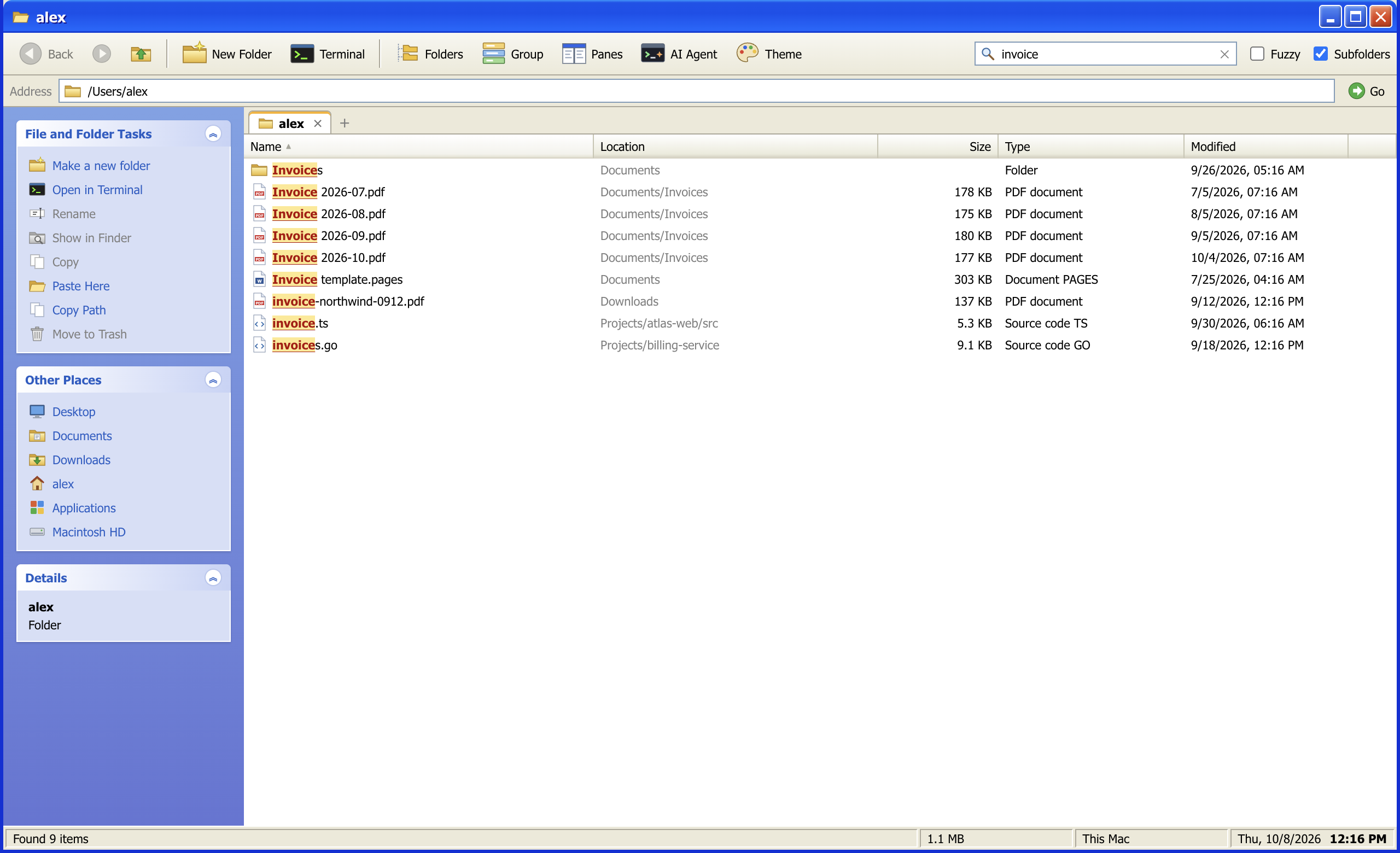
Type, and the list answers before you finish the word.
The filter ignores case and diacritics and underlines what matched. Turn on Subfolders and it searches the whole
tree below the current folder in a background process, breadth first, with results appearing as they are found and a
Location column to tell them apart. Fuzzy mode matches letters in order, gaps allowed.
⌘F or / Filter
⌥⌘F Search in subfolders
▾
Virtual folders
Organize
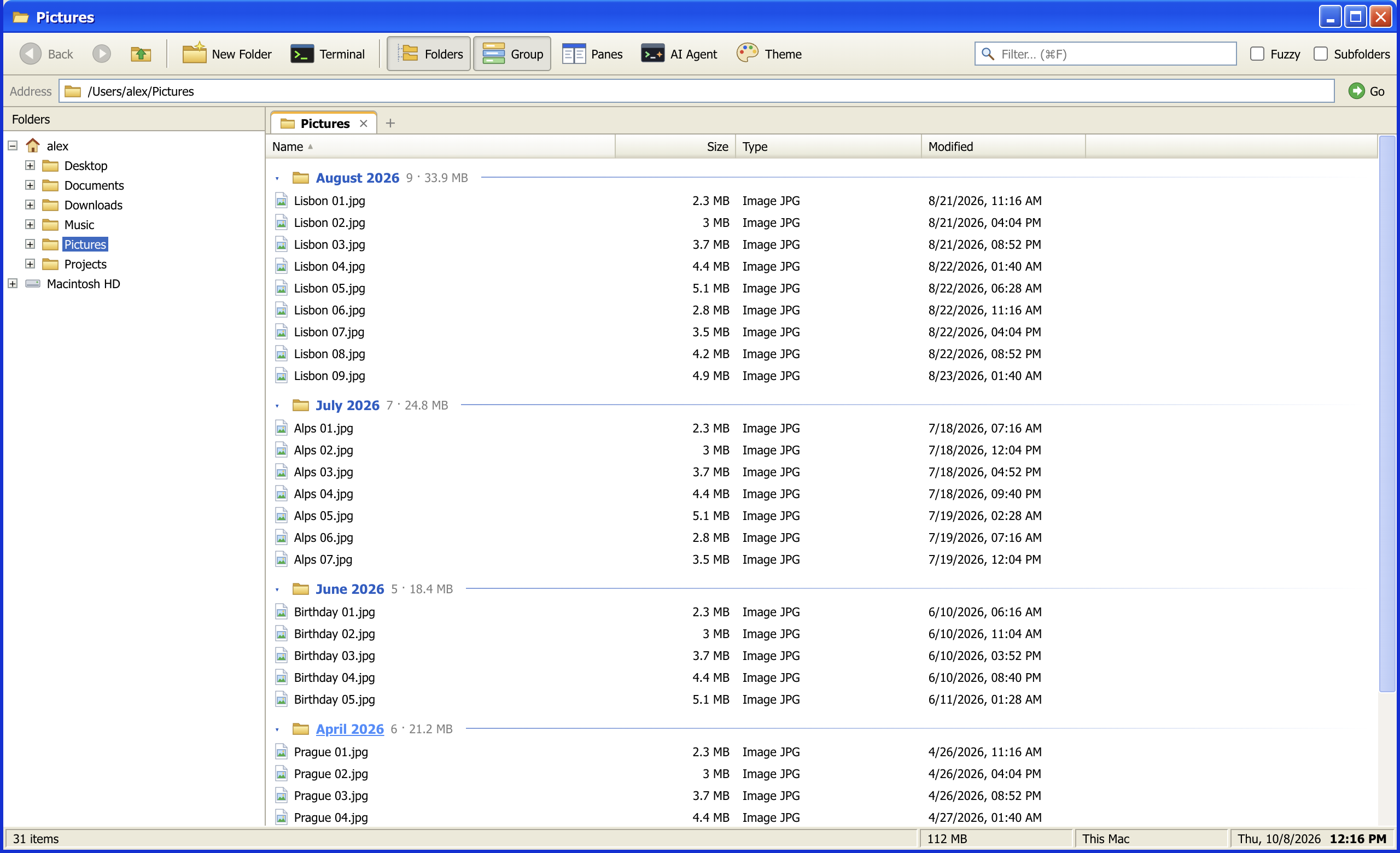
Sort a messy folder without moving a single file.
Group any folder, or any search result, by year, month, week or day of change, by kind, extension or size. Groups
collapse with a click, and a double-click opens one as a virtual folder of its own, right in the address bar.
Folder sizes are computed recursively in the background, cached, and kept current as files change.
▾
Claude Code, Codex and a terminal, built in
AI Agent
Point an agent at a folder and watch its changes land in the list.
The AI Agent panel starts Claude Code, Codex or your shell in the current folder. The Terminal button opens a shell there too, inside aFinder. Sessions get their own tabs, keep
running when the panel is hidden, and the file list updates as the agent writes. Drop files on the panel to paste
their quoted paths.
Open
⌃` or right-click a folder
Shell
Your login shell, so PATH and aliases match your terminal
Agents
Only the ones you have installed are offered
Engine
node-pty and xterm.js
▾
And the everyday things, done properly
Details
Copy, cut and paste through the system clipboard, so files move to and from Finder and Explorer. Name clashes ask: replace, keep both or skip.
Drag and drop onto folders, the tree or empty space. Same disk moves, another disk copies, ⌥ forces a copy.
New folder in one click with the name ready to type, Copy path, the system terminal one right-click away, hidden files on demand.
Four languages: English, Czech, German and Spanish, following your system by default.
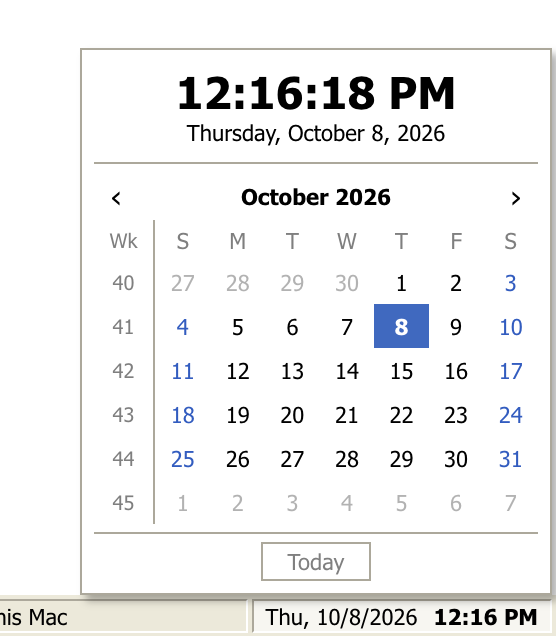
A clock in the status bar. Click it for a month calendar with ISO week numbers.
▾
Ten themes
Appearance
Luna is the default. The other nine are a click away under Theme, and aFinder remembers your choice.
Luna blue title bar, beige window face and Tahoma. The default.
▾
Keyboard shortcuts
Keyboard
Finder conventions on the Mac, Explorer conventions on Windows and Linux. No Ctrl+Alt combinations, so AltGr layouts keep working.
Action
macOS
Windows and Linux
Filter
⌘F
CtrlF
Search in subfolders
⌥⌘F
CtrlShiftF
Back / Forward
⌘[⌘]
Alt←Alt→
Up one level
⌘↑
Alt↑
New folder
⇧⌘N
CtrlShiftN
Rename
F2
F2
Move to Trash
⌘⌫
Delete
Paste and move
⌥⌘V
CtrlShiftV
Duplicate
⌘D
CtrlD
Copy path
⌥⌘C
CtrlShiftC
Show hidden files
⇧⌘.
CtrlH
New tab / Close tab
⌘T⌘W
CtrlTCtrlW
Split panes
⌘\
Ctrl\
Copy / Move to other pane
F5F6
F5F6
New window
⌘N
CtrlN
Integrated terminal
⇧⌘T
CtrlShiftT
AI Agent panel
⌃`
Ctrl`
▾
One app, three platforms
Platforms
aFinder is built for macOS first and behaves like a native citizen on Windows and Linux too.
These installers are unsigned, so your operating system may show a security warning. The Windows build is older and may not include all features shown above.